Platform cache for one-time alerts
Highlight Badges use a Session Cache partition to control the frequency with which alerts are displayed to users. In large orgs with many badges with alerts showing once per day, it is possible that you’ll want to increase the allocated capacity, beyond the 3MB provided by the package.
NOTE: This step is only necessary if you intend to limit a highlight badge’s Alert Frequency, by setting it to “Once per Session.”
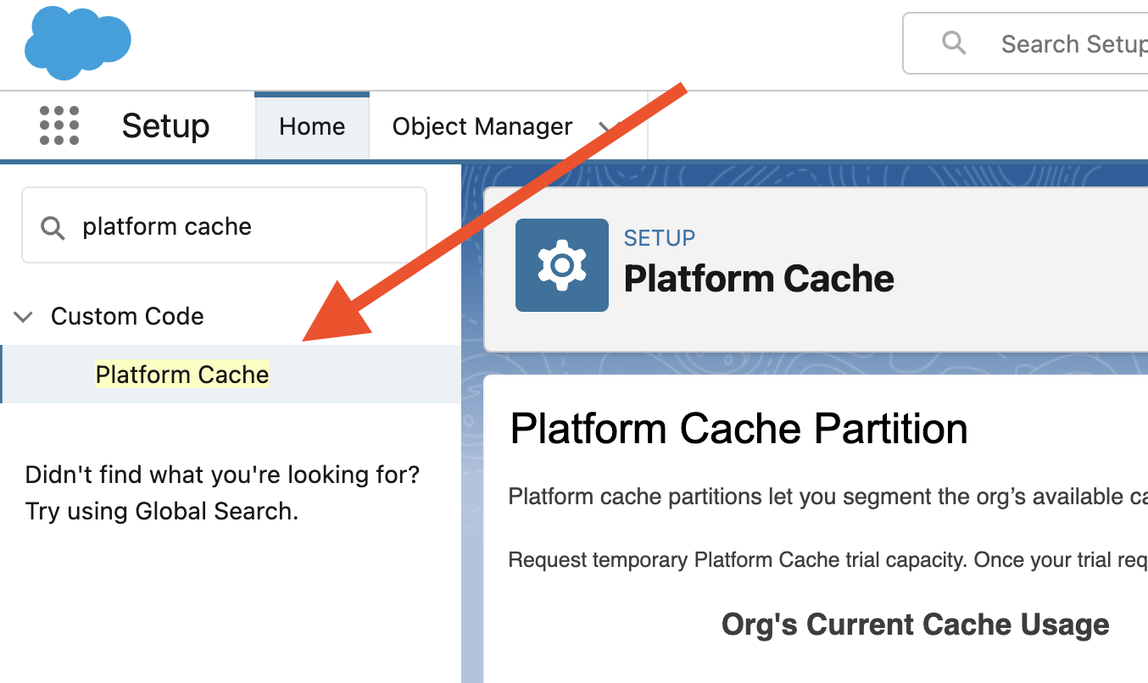
- Go to Setup → Custom Code → Platform Cache.

- Click Edit on the HighlightBadges partition.
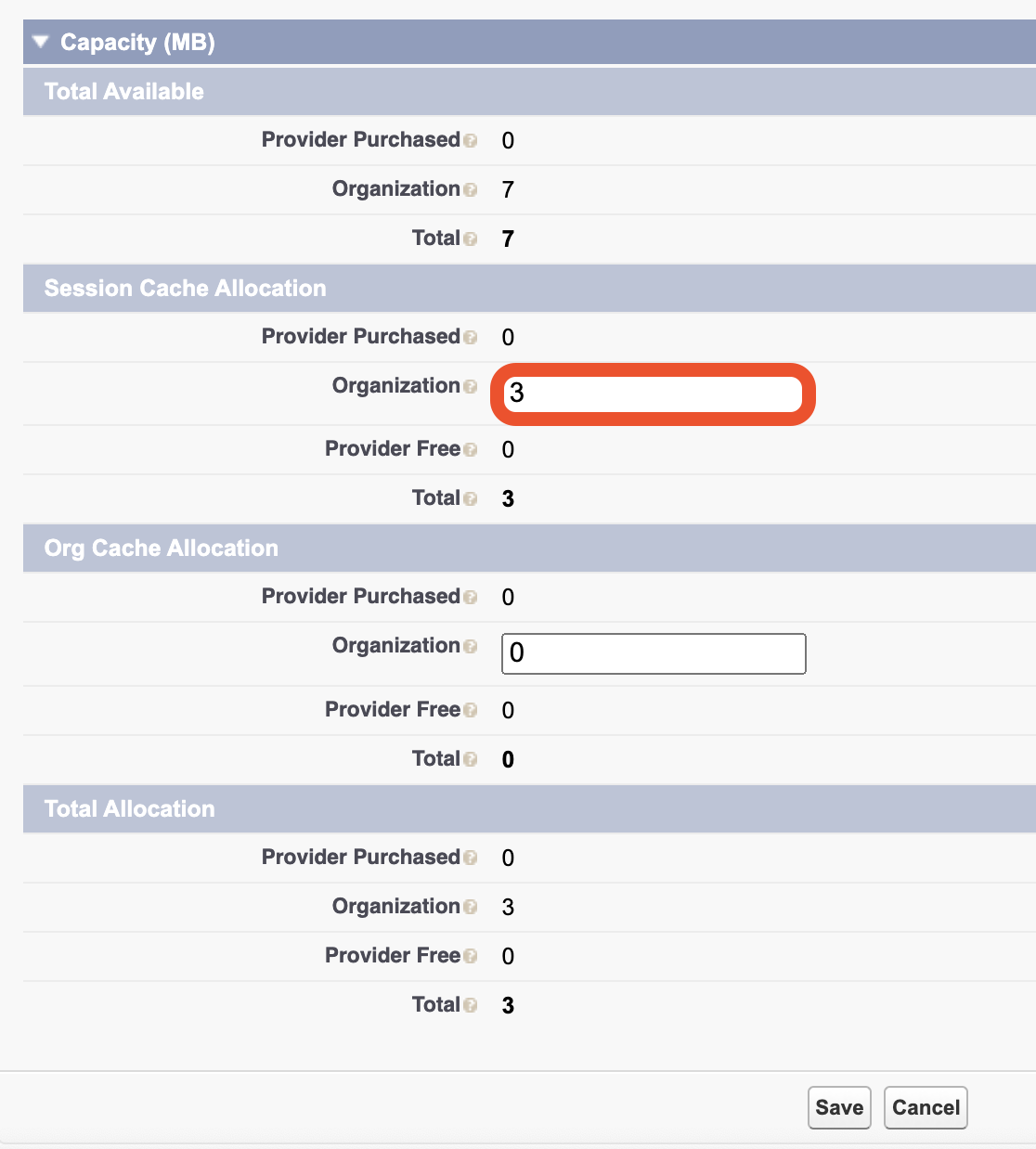
- Scroll down to the Capacity section. Under Session Cache Allocation, add capacity to the organization’s allocation.
The amount you’ll need will be based on the amount of badges that utilize this feature and the amount of user activity for the Display Object. If you need help determining that number, reach out to support@serkinsolutions.com for help.
- Click Save.
Note: For most orgs, 3 MB of allocated cache is recommended to start out with, which is already provided by the package.